Formatting a USB drive or SD card to FAT32 seems easy until Windows won’t let you format larger drives. That’s when many users discover two popular FAT32 Formatter tools: GUIFormat.io and GUIFormat.net.
They seem almost identical FAT32 Formatter. Both can be used to format large USB drives, SD cards, and other external media as FAT32, but once you start working with them, you will see that they have different approaches.
The first one has a nice lightweight paid version with a modern interface; the second one is a free alternative with similar functionality but a much bigger download size.
At first, I thought both were just different versions of the same software. After testing them, I realized they are designed for different users, and neither is better for everyone; it depends on what you need.
By the end, you’ll know which formatter is right for you.
What is GUIFormat.io?
GUIFormat.io is a FAT32 formatter for USB drives, SD cards, and external storage devices with a simple, contemporary interface.
It is lightweight, making it quick to download and install.
The tool works in a premium manner with some paid functionality, but still it gives user smooth and easy experience.
Overall, it suits users who prefer a modern and lightweight formatting tool.
Key Highlights
- Lightweight installer (around 5 MB)
- Modern interface
- Supports FAT32 formatting for large storage devices
- Formatting also available for other file systems (ExFAT, NTFS)
- Premium software model
- Quick formatting, secure wiping, and bulk copy/move tools (Windows only)
What is GUIFormat.net?
GUIFormat.net serves the same purpose but takes a different approach.
Unlike GUIFormat.io, it is totally free to use and thus can be used by those people who do not want to pay for FAT32 formatter tool.
Its installer is larger because it’s built with Python, which includes additional runtime files. However, this doesn’t affect its performance after installation.
Moreover, GUIFormat is quite user-friendly while completing the formatting process.
The tool is still actively developing and will get a Disk Partition feature in the next release, which will make it even more versatile.
Key Highlights
- Completely free to use
- Supports FAT32 formatting for large storage devices
- Also supports formatting to other file systems, such as ExFAT and NTFS.
- Quick drive formatting and secure data wiping
- Beginner-friendly interface
- Disk Partition feature planned for future releases
Quick Comparison
| Feature | GUIFormat.io | GUIFormat.net |
| Price | Premium | Completely free |
| Download Size | Arround 5 MB | Arround 100 MB |
| Technology | C and C++ based Application | Python based application |
| Large Drive Support | ✅️ | ✅️ |
| Supported File Systems | FAT32, exFAT, NTFS | FAT32, exFAT, NTFS |
| User Interfacer | Premium and Attractive | Clean, Simple, Beginner friendly |
| Custom Cluster Size | ✅️ | ❎ |
| Performace | Fast and Reliable | Fast and Reliable |
| Disk Partition Feature | Not Available | Announced for next update |
| Best For | Users who prefer a lightweight premium formatting solution | Users looking for a free all-in-one formatting solution |
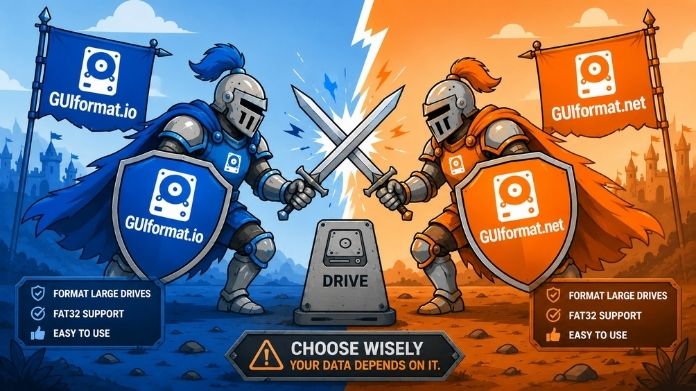
My First Impression After Trying Both
When I started comparing these two tools, I honestly expected one to outperform the other in every category.
That wasn’t the case. Instead, I realized they represent two different philosophies.
GUIFormat.io focuses on being lightweight, polished, and also premium.
GUIFormat.net does the same things and works in the same way as its competitor without any fees. However, it might have a bigger installer size due to its architecture based on Python.
It simply depends on whether you value a premium experience or a feature-rich free alternative.
Premium vs Free: Does It Matter?
This is probably the biggest question most users ask before downloading either tool.
GUIFormat.io
GUIFormat.io uses a premium pricing model. This might not be a problem if you value the ease of a well-designed program and feel comfortable paying for software.
This application is premium because it provides a custom cluster size with advanced error checks.
For users who regularly manage storage devices, paying for software that provides a refined experience can make sense.
GUIFormat.net
GUIFormat.net takes the opposite approach.
It provides the same core FAT32 formatting capability without requiring users to purchase the software.
For casual users who only need to format a USB drive every few months, having access to those essential features at no cost can be a significant advantage.
That doesn’t automatically make it “better” but it does make it more accessible.
Performance Comparison
A FAT32 formatter tool should be reliable before anything else.
Both of the tools work perfectly in practice and format USB drive quickly and efficiently.
The main difference is in the workflow. GUIFormat.io feels like a polished, commercial-style desktop app and also offers premium features like cluster size customization.
GUIFormat.net feels like a lightweight utility built with efficiency in mind.
Neither struggled with formatting large USB drives, and both handled FAT32 conversion as expected.
Performance is unlikely to be the determining factor between these two apps for the majority of users.
Ease of Use
If I had to summarize the user experience in one sentence, it would be this:
GUIFormat.io tries to impress you, while GUIFormat.net tries to help you finish the job.
That doesn’t mean one approach is right and the other is wrong.
If you enjoy modern software with guided workflows, GUIFormat.io offers a polished experience.
If you prefer opening an application, completing the task, and closing it within a few minutes, GUIFormat.net delivers exactly that.
Personally, I found GUIFormat.net a little more comfortable for quick formatting jobs simply because there was less to think about.
Which One Should You Choose?
The answer depends on what matters most to you.
Choose GUIFormat.io if…
GUIFormat.io is likely the better fit if you:
- Prefer a lightweight application with a small download size.
- Enjoy a polished, modern interface.
- Don’t mind purchasing software for a refined user experience.
- Want a simple FAT32 formatter without needing future expansion.
For users who value compact software and premium presentation, GUIFormat.io delivers a smooth experience.
Choose GUIFormat.net if…
GUIFormat.net is probably the better choice if you:
- Want a free FAT32 formatter.
- Don’t mind a larger installer.
- Prefer a straightforward workflow.
- Appreciate software that’s actively evolving with new features.
- Like the idea of future Disk Partition support.
GUIFormat.net provides great value without needing a purchase for a large number of home users, students, photographers, gamers, and IT professionals who occasionally need to format storage devices.
Final Verdict
Both GUIFormat.io and GUIFormat.net are capable FAT32 formatting programs, although they are intended for different users.
If you desire more functionality and a mordern interface, GUIFormat.io is a viable option. If simplicity, budget and ease of use are most important, GUIFormat.net is perhaps the best option.